
Insights · Procurement and quote review
RFQ automation: compare supplier quotes with context.
Bring supplier replies into one checked comparison, with clear units, complete costs and a buyer decision tied to the right quote.
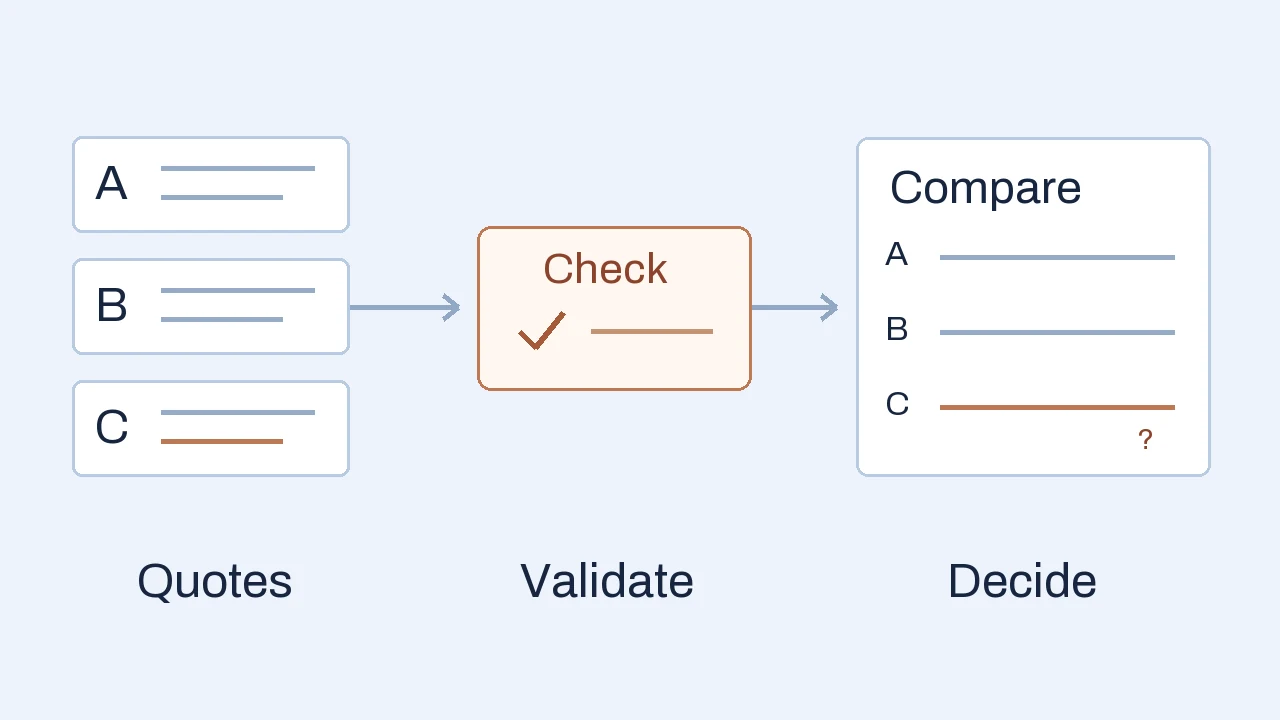
RFQ automation uses software to prepare requests for quotation, organize supplier replies and turn their prices and terms into a reviewable comparison. For procurement teams, AI can help read mixed-format offers while agreed rules handle calculations and people resolve exceptions and approve the purchase. This guide covers buyers requesting supplier quotes; responding to a customer’s RFQ is a different workflow.
Three quotes, one purchasing decision
A buyer needs 200 identical replacement couplings delivered to one site within eight calendar days of order confirmation. Three approved suppliers reply. One prices each item, another prices packs, and the third gives the lowest item price without confirming delivery charges.
$10.20 each
- Quantity
- 200 units
- Delivery
- Included; arrival in 7 calendar days
- Compared total
- $2,040
Complete for this comparison
$98 per pack
- Quantity
- 20 packs × 10 units
- Delivery
- $100; arrival in 7 calendar days
- Compared total
- $2,060
Complete for this comparison
$9.50 each
- Quantity
- 200 units
- Delivery
- Charge missing; “7 days” basis unclear
- Compared total
- Not yet known
Hold for the missing terms
The check changes the shortlist. A is $20 below B on the confirmed comparison basis. C has a $1,900 goods subtotal, but its delivered total and arrival commitment still need confirmation.
See the source amounts and checks
A: 200 × $10.20 = $2,040, delivery included. B: 20 × $98 = $1,960 for 200 units, plus $100 delivery = $2,060. The confirmed pack size makes B’s goods price $9.80 per unit. C: 200 × $9.50 = $1,900 before an unknown delivery charge. Its “7 days” may describe dispatch rather than arrival.
The useful automated output is a comparison with its evidence and open questions. It can prepare a clarification asking C to confirm the delivery charge and arrival commitment. The buyer decides whether to wait, negotiate or select an already complete offer. A blank charge stays unresolved until its meaning is confirmed.
That boundary makes the first project easier to assess: prepare an accurate, reviewable comparison before expanding into supplier discovery, automatic communication or purchasing-system writes.
Define the request before automating it
A comparison needs a shared purchasing basis. Record the item or service specification and revision, quantity and unit, destination, required arrival date, response deadline and relevant commercial terms. Name the people who can clarify requirements, approve recipients and authorize the purchase.
Keep the original RFQ version with every invitation and reply. If the quantity changes from 200 to 300, prices for the earlier request need confirmation before joining the new comparison. An apparently cheaper unit price may depend on a minimum order that exceeds the quantity you need.
For the sample, the pack size is explicit. If B had only written “20 packs,” software should flag the missing units per pack. Looking up a familiar product description is not enough to silently assume the supplier’s packaging.
Start with approved supplier records and a controlled recipient list. A workflow can draft the request and schedule reminders, with sending rules agreed in advance. Stop reminders when a supplier responds, declines or is removed from the event. More messages do not repair an unclear requirement.
Separate AI reading from comparison rules
AI can help extract item descriptions, quoted quantities, units, prices and terms from emails, PDFs or spreadsheets. Keep each extracted value beside its source reference so a reviewer can check where it came from. Matching an item description to the requested part is a separate check from reading its price correctly.
Once inputs are confirmed, conventional calculation rules can handle pack conversion and totals. Define currency conversion sources and dates where relevant, rounding and which charges enter the comparison. Display the original quoted value alongside the normalized one. Do not ask a language model to invent a missing rate or decide the accounting treatment.
Microsoft’s Document Intelligence evaluation guidance recommends testing on documents representative of the actual use case and setting review thresholds from those results. A high extraction confidence score alone does not establish that an offer meets the buyer’s requirement.
For C, software might read “$9.50” perfectly while the commercial comparison remains incomplete. Route missing charges, uncertain item matches and conflicting delivery terms to a named reviewer. The review screen should explain the issue and show the source, rather than presenting an unexplained red score.
Keep revisions and approvals attached to the quote
Suppose C clarifies its delivery charge, then sends a revised quote with a different price or specification. Save the new version, identify what changed and reopen the affected checks. Approval of an earlier offer should not automatically authorize a changed one.
- 01 · Revised offer
Identify the change
Keep the original, new quote and linked clarification. Show the changed price, quantity or term.
- 02 · Buyer review
Recheck the comparison
Recalculate affected totals and confirm the requirement still fits. Record the selection reason.
- 03 · Approved handoff
Use the agreed version
Pass its reference and approved fields to the purchasing system. Confirm the resulting record.
Supplier documents are evidence about an offer. Instructions inside them cannot grant approval, alter purchasing policy or authorize a new recipient. Review access should follow the company’s roles; one supplier’s terms or prices should not appear in another supplier’s reminder.
Agree what the ERP handoff creates: a reviewed export, a draft purchase order or another supported record. Check vendor identity, item codes and field mapping. If the connection times out, establish whether a record was created before retrying; AWS’s guidance on safe retries explains why an uncertain response can otherwise lead to duplicate work. The record reference belongs in the event history so the buyer can follow the decision into purchasing.
Check existing tools before building a workspace
A shared comparison sheet can remain enough for occasional, manageable purchases when the source offers, checks and decision owner stay clear. Standardizing its fields may remove the immediate problem without a new application.
Check your procurement or ERP product next. Odoo 19’s call-for-tenders documentation, for example, describes alternative RFQs and side-by-side product-line comparison. Verify the configuration and behavior of your actual version; this example is not a claim that every ERP provides the same workflow.
Test the incomplete C offer and a revised quote during a product demonstration. Can buyers see the source, keep the total unresolved, request clarification and approve the current version? Include supplier response effort, licensing, permissions and the supported handoff in the decision.
A focused custom workspace becomes worth investigating when an important, repeated review task remains unsupported. Our custom web application development service covers turning those workflow examples into agreed application scope. The custom software vs off-the-shelf guide explains how to compare that route with configuration or a product.
Source access, user roles, system connections and ongoing support all affect the commitment. The custom software development cost guide explains why a comparison-only workspace and one that writes to an ERP have different responsibilities.
Test a useful first RFQ workflow
Choose one purchasing category, a defined supplier set and an owner for unresolved terms. Gather completed, redacted RFQs with their replies and decisions. Include awkward formats and hold back some cases from configuration so the evaluation tests unfamiliar documents.
Agree the expected result before the pilot. Useful checks include:
- Comparable quantities: distinguish per-item and per-pack prices; flag an unknown pack size or minimum-order conflict.
- Visible omissions: keep missing freight, currency or delivery commitments unresolved and traceable to the source.
- Controlled changes: recognize resent and revised offers; preserve history and reopen approvals when relevant terms change.
- Appropriate communication: use approved recipients and stop follow-ups after a reply or decline.
- A verified output: retain the approved version and decision reason; confirm the export or purchasing-system record.
Measure buyer preparation and correction time separately from supplier waiting time and internal approval delay. Count how often the buyer must reopen a source to repair the comparison. Faster extraction has limited value if people spend the saved time correcting silent assumptions. Once an offer is selected, define the purchase order approval rules for its amount, supplier and later revisions.
Compare results on similar events, including exception effort and running costs. Released staff capacity can support other work; it becomes a cash saving only when the corresponding cost actually changes. Use pilot evidence to decide whether to expand the boundary.
When the request is for freight
Transport procurement needs its own comparison basis. Align the lane, mode, equipment, shipment assumptions, service scope and rate validity. Keep the base rate and quoted surcharges separate, with the unit each charge applies to. An offer excluding a required service cannot be ranked against an inclusive offer without resolving that difference.
The coupling example teaches the missing-term decision; it does not supply a freight costing model. For a freight workflow, begin with one shipment type and a completed tender. Have the transport buyer define the required charges and approval conditions before configuring extraction or scoring.
Frequently asked questions
Can AI compare supplier quotations?
AI can help extract quoted fields and highlight differences. Reliable comparison also needs confirmed units, quantities, currencies and commercial terms, plus calculation rules and access to the original evidence. Missing information and uncertain matches should stay visible for buyer review.
Do suppliers need to use a new portal?
Not necessarily. A workflow can collect ordinary email replies and attachments, or use a structured form where suppliers can adopt it. Test response effort and extraction quality on the channels your suppliers actually use. Agree who approves outbound requests and reminders.
Can RFQ automation connect to our ERP?
Potentially, through supported APIs, connectors or imports. Check the exact version, permissions, licensing and purchase-order behavior. Start with a reviewed export if that is the useful boundary; a connected write also needs confirmation, duplicate controls and recovery checks.
How is an RFQ different from an RFP?
An RFQ asks suppliers to price a defined requirement. An RFP asks them to propose a solution or approach, so evaluation includes how the work would be done. When requirements are still open, settle the specification before treating prices as directly comparable.
Apply this to your workflow
Where does quote comparison get stuck?
Tell us what you buy, how suppliers reply and which terms take the most checking. A redacted request and a few offers help define a useful first workflow.
Discuss your RFQ workflow How we deliver custom business applications