Purchase requests and approvals
Collect the required information once, route it to the approver and show the requester where it stands.
 Let’s talk
Microsoft business tools
Already working in Microsoft 365? We help you build internal apps, route approvals and make progress visible using Power Apps, Power Automate and Power BI, with the platform fit checked first.
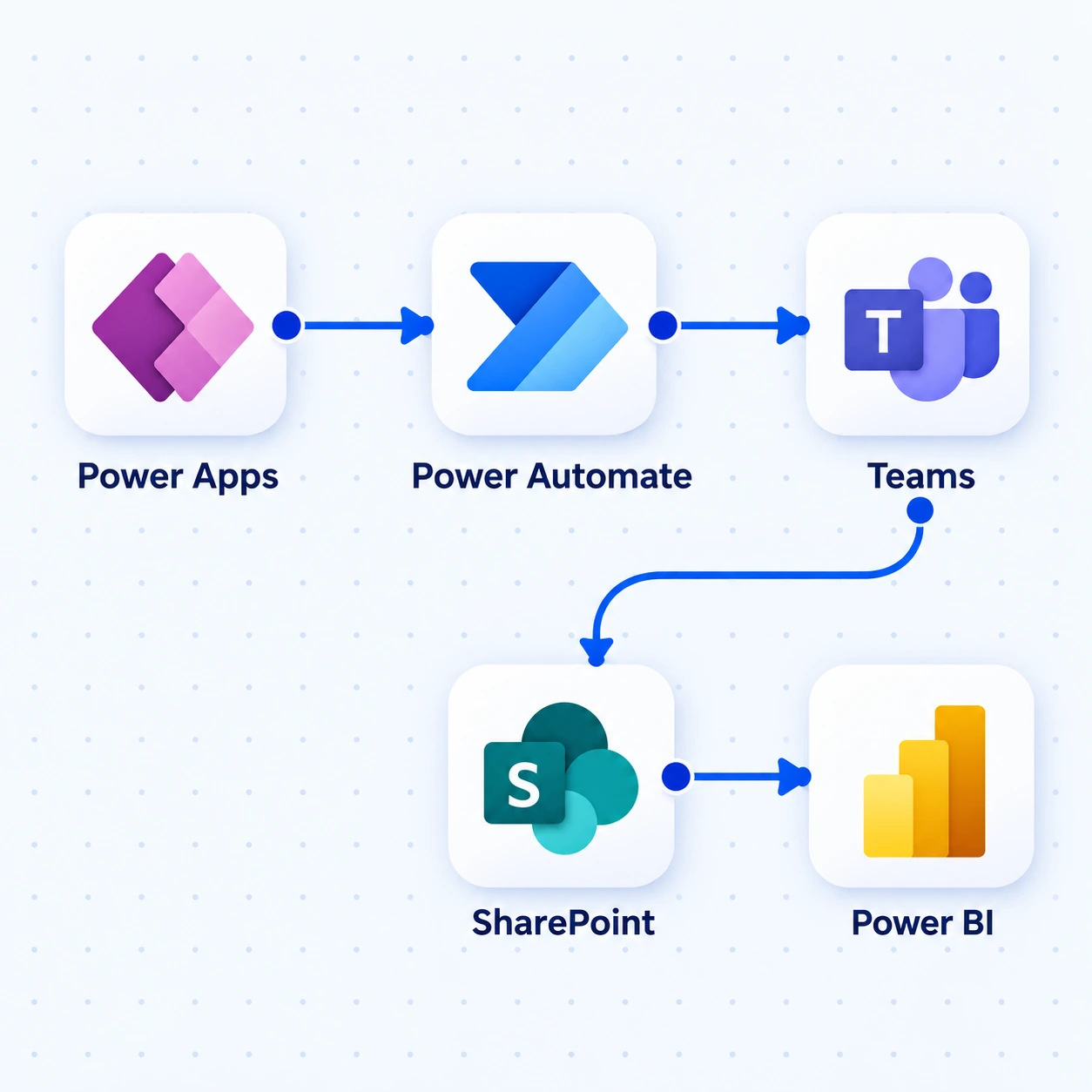
A Power App starts the request, Automate routes the approval in Teams, SharePoint keeps the record and Power BI shows progress.
Illustrative workflow · Example Microsoft toolsHow we deliver this service
We review the process, users and tenant with your administrator, then select the apps, flows or reports it needs. We build against representative tasks and test the data connections, permissions and approval routes with your team.
Our founder’s experience with Microsoft business applications brings context to the app, its data and day-to-day administration. We check platform fit, licensing and ownership early, and can compare a custom build when the required experience does not fit low-code well.
The experience behind our approachSee the work
Illustrative example · sample data, not client results.
A colleague emails a purchase request. The approver asks for a cost centre, and the requester later has to chase its status.
A Power App collects the request and cost centre. Power Automate routes it to the designated approver; the request record keeps the decision and comments.
The requester can see pending, returned or approved status. If reporting is in scope, Power BI summarises requests by owner and age using the chosen data source.
Step 1 of 3
This is an example solution, not a claim that every Microsoft 365 licence includes these features. Data sources, connectors and licensing need checking.
Where it helps
Collect the required information once, route it to the approver and show the requester where it stands.
Give staff a usable app for submitting observations, attachments and follow-up actions.
Bring agreed data into a view that shows pending work, trends and the decisions a team needs to make.
What’s included
An internal app, approval flow or operational report built around your team’s Microsoft environment.
Build forms and screens for requests, inspections or operational records, with the fields and actions each user needs.
Route approvals, notifications and updates. Show what is waiting and how someone resolves a failed flow.
Build views around decisions, such as ageing requests or work by owner. Define the data source, access and refresh needs.
Assess SharePoint, Dataverse, Business Central or other sources with your administrator. Plan connectors, environments, licensing and ownership.
What you receive
The agreed app, flow or report works with the intended users and data; approval routing, access, refresh and exception behaviour are checked.
The first conversation
We’ll discuss the users, data and desired workflow with your administrator or system owner. Platform fit and licensing questions come before a build recommendation.
The next decision: which platform components to assess, which licences to confirm and whether low-code fits the job.
Useful answers
No. The task may need an app, a flow, a report or a combination. We choose around the process and existing environment.
Not necessarily. Products, users, data sources and premium connectors affect licensing. We check the proposed setup against current Microsoft terms before commitment; licences are not automatically included in the service fee.
Yes. We inspect the rules, connections, ownership and run history before recommending a focused repair or rebuild.
When the user experience, external access, complex rules or operating model fit poorly on the platform. Compare licensing and maintenance as well as build effort.
Plan connection accounts, app ownership, environments and operating notes with your administrator so the solution is not dependent on one employee.
Let’s talk about your work
Show us an approval, internal app or report that needs improving.
What we’ll discuss ↑← All services