Internal procedures
Find the relevant guidance for an operational exception and open the exact source passage.
 Let’s talk
Knowledge & document search
Ask a question about your own documents and get an answer with the source attached. We build AI knowledge search that helps people find the right passage, understand it and check it before relying on it.
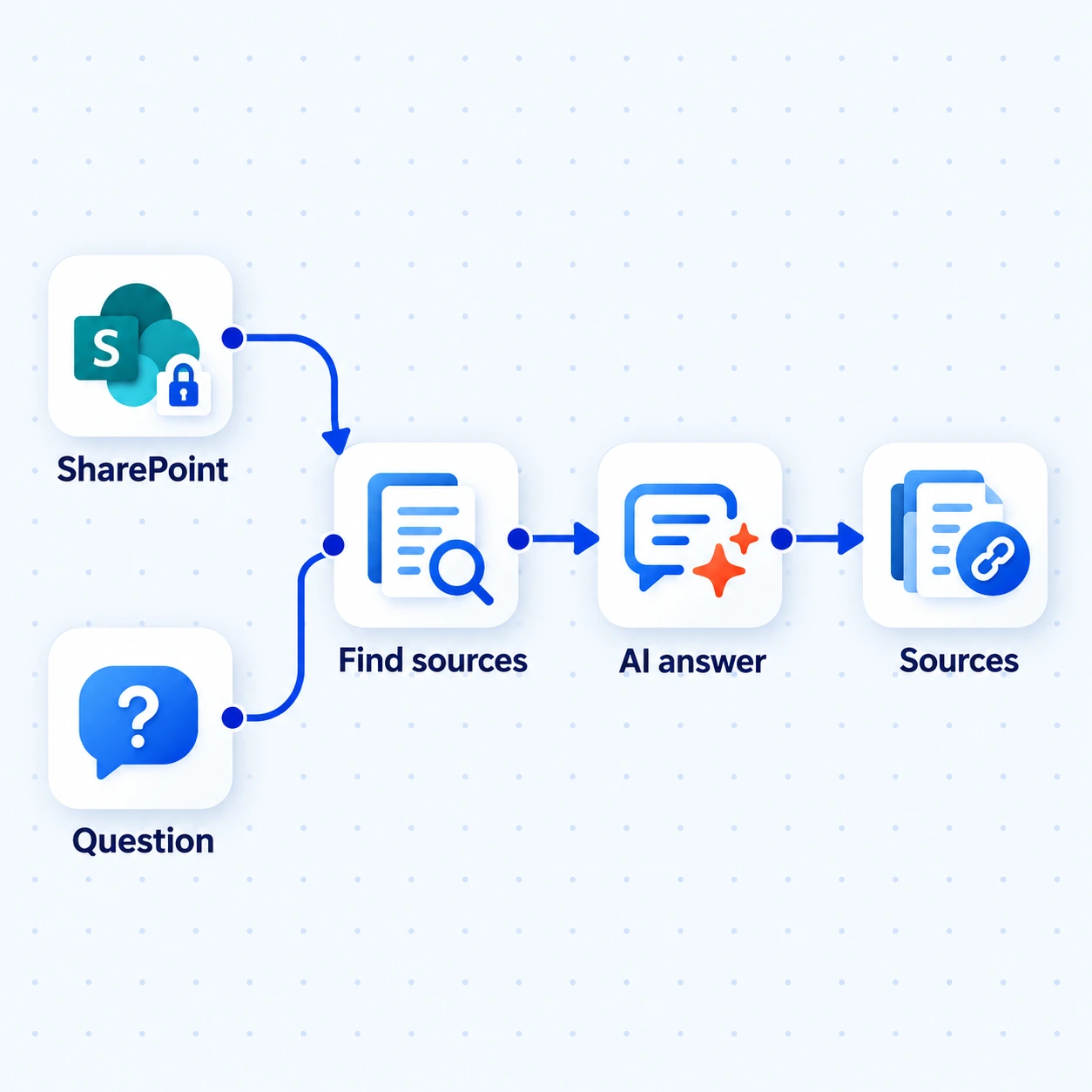
Find relevant passages in approved documents, prepare the answer and keep the supporting material close enough to check.
Illustrative search · SharePoint is an example sourceHow we deliver this service
We choose a focused document collection with its owner and test the questions people ask. We prepare the sources, build retrieval and answers, then check source support, permissions and unanswered questions before introducing the experience to users.
We can put knowledge search inside a business application and connect its sources. That brings the question, supporting evidence and content upkeep into the same delivery plan.
See our delivery processSee the work
Illustrative example · sample data, not client results.
A coordinator asks how to handle a damaged delivery, but finds several versions of the receiving guide and is unsure which one applies.
The assistant searches the approved collection and retrieves the current guide. In this fictional guide, section 4 says to photograph the damage and notify the receiving lead.
The answer summarises those two steps and identifies Receiving Guide, version 3, section 4. The coordinator can inspect the passage; a question the guide does not cover gets an explicit gap.
Step 1 of 3
The guide and instruction are fictional sample content, not operational advice. Source links support checking; they do not guarantee a correct answer.
Where it helps
Find the relevant guidance for an operational exception and open the exact source passage.
Search approved manuals or specifications, including identifiers and details that broad keyword searches can miss.
Help a new colleague find a starting answer across selected policies or instructions, while respecting document access.
What’s included
A knowledge assistant that retrieves from approved documents and points people to the supporting material.
Identify document owners and versions. Test extraction from text, scans and tables; flag gaps or conflicting instructions.
Test retrieval against real questions. Generate answers from retrieved passages and identify the supporting material.
Use identity and source permissions during retrieval, so a generated answer does not reveal material the user cannot access.
Evaluate unanswered questions and source changes. Define updates, removals and feedback with the content owner.
What you receive
Representative questions are checked for retrieval relevance, answer support and access; missing answers have a clear fallback and documents have an update owner.
The first conversation
We’ll look at a representative document set and discuss how people find answers today. That helps determine whether better search is enough or generated answers would help.
The next decision: which collection and questions to test first, including questions with no supported answer.
Useful answers
Retrieval-augmented generation finds relevant passages first, then asks a language model to prepare an answer using them. Retrieval and answer quality both need testing.
Good search may be enough to find a document. RAG helps when people need an explanation assembled from relevant passages.
No. RAG retrieves content when a question is asked. Fine-tuning changes model behaviour through training; it is a different mechanism.
No. Retrieval can miss evidence and a model can misinterpret it. We test real questions, weak evidence and access restrictions. Sources make checking possible.
We test representative files early, then define extraction, updates and removals with the content owner. File quality and refresh requirements affect scope.
Let’s talk about your work
Start with the documents your team searches most often.
What we’ll discuss ↑← All services