
Insights · Choosing your software
Custom software vs off-the-shelf: choose by workflow.
Use one real task and its exceptions to compare existing tools, ready-made products and a targeted custom build.
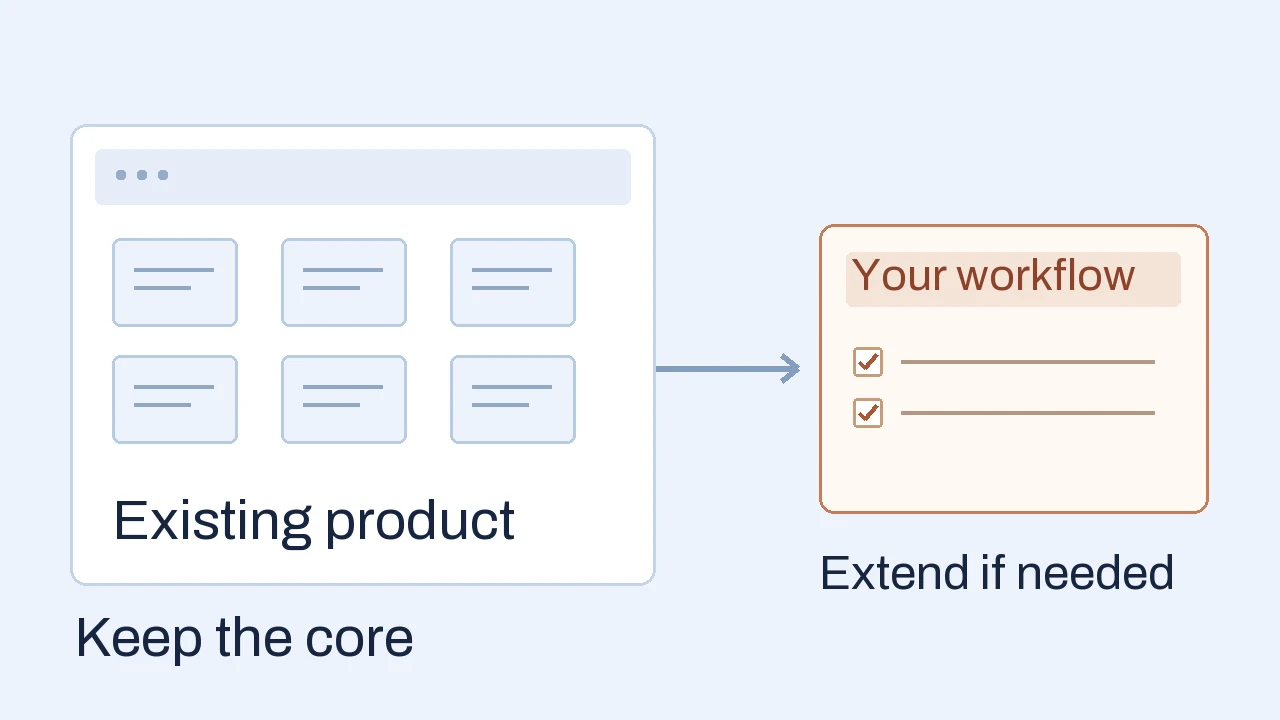
Custom software vs off-the-shelf is a decision about workflow fit and ongoing responsibility. Test existing tools and products against the task you need to complete, including exceptions. Configure what fits; investigate a custom component when an important gap remains and its value justifies building and maintaining it.
Start with one complete task
Imagine a purchasing team comparing supplier quotes before creating a purchase order in its ERP. One offer includes a delivery date; another leaves it blank. The buyer needs to see the missing term, request clarification and approve the comparison before anything is handed off.
“We need procurement software” is too broad to choose a solution. A more useful requirement is: keep the offers together, compare the required terms, make missing information visible and record who approved the next step.
The ERP can remain the system of record. A custom review layer does not require replacing purchasing, accounting and every other working system.
Test an incomplete offer as well as a complete one. If a system treats a blank delivery date as “ready to approve,” a polished comparison screen has not demonstrated the job. Conversely, an existing tool that handles the checks reliably may already be sufficient.
What changes when you buy, configure or build?
Off-the-shelf software is an existing product offered to multiple customers. Custom software is developed for a particular set of requirements. Configuration changes a product’s supported settings or workflows; an extension adds behavior through its supported interfaces or development tools.
These options can overlap. Microsoft’s Dynamics 365 extension guidance, for example, describes configuration, low-code customization and code-based extensions. Packaged software is not automatically inflexible, and a custom application still depends on the platforms and services beneath it.
| Choice | What you are choosing | What to verify |
|---|---|---|
| Existing product | A vendor’s capabilities, support and release direction. | Workflow fit, plan limits, export and integration access. |
| Configuration or extension | Adaptation within a platform and its supported boundaries. | Licensing, maintainers and behavior after platform updates. |
| Custom development | A defined application or component built around agreed needs. | Acceptance checks, operating responsibility, handover and future changes. |
If your existing Microsoft environment can support the task, our Power Platform consulting service is one relevant implementation route to evaluate. A low-code platform still needs thoughtful permissions, testing and an owner.
Run the same fit test on every option
Prepare a small demonstration script before reviewing products or commissioning a prototype. Include a normal case, a common exception, the relevant user roles and the final handoff. Ask to see the work performed with representative, redacted inputs.
- 01 · Current tools
Can the existing setup do the job?
Check supported settings and clarify who performs each manual step.
- If it fits
- Keep or configure it. Confirm the operating effort is acceptable.
- If a necessary gap remains
- Test available products against that same requirement.
- 02 · Available products
Does a product pass the same test?
Demonstrate the exception, permissions, export and system handoff.
- If it fits
- Compare full costs and support, then buy and configure.
- If a necessary gap remains
- Name the missing capability and investigate a focused extension.
- 03 · Targeted build
Is the remaining gap worth owning?
Confirm business value, feasible access, acceptance and a maintainer.
- If the case holds
- Scope the smallest complete component that closes the gap.
- If evidence is missing
- Investigate or fix the process before committing to a build.
Keep the evidence. Record what passed, the remaining workaround, its owner and the dependency still to resolve. A vendor’s feature checkbox is not the same as a completed task.
For the quote-review example, the script should show how a missing delivery date is resolved, who can approve and how the approved record reaches the ERP. If a connected write is part of the scope, include a failed request and retry in the acceptance checks.
Compare the full commitment
Use the same workload, users and evaluation period for each option. Include implementation, migration, training, subscriptions or infrastructure, support, integration maintenance and your team’s time. Test how the commitment changes if usage grows or the workflow needs another role.
The UK Government Digital Service’s purchasing guidance considers full lifecycle cost, available products and delivery capability together. Those are useful questions for this comparison too. A lower entry price alone does not establish the better choice.
There is no automatic long-term cost winner. A small subscription may remain sensible; a custom component may be justified by a valuable, persistent gap. Our custom software development cost guide explains how scope and operating responsibilities affect the estimate.
Decide who will run and change it
Every route creates dependencies. With a product, check supported features, plan limits, export options and the vendor’s update process. With configuration or custom work, identify who maintains the changes and what happens when an underlying service changes.
Agree access to the relevant code or configuration, deployment accounts, documentation and data exports. Clarify licenses, handover and support terms. Paying for custom development does not by itself explain what another team could take over.
Ask the same practical security and continuity questions of every option: who can view or approve a record, how access is removed, how updates are handled and how data is recovered. The label “custom” or “off-the-shelf” does not demonstrate those controls.
When would we recommend a custom application?
We would investigate a build when an important workflow has a well-defined gap that suitable products or supported configuration do not close, and there is a credible plan to run the result. The first scope should finish that job, with clear inputs, review points and a useful output.
We would favor an existing product when it passes the actual task and its costs and responsibilities are acceptable. We would pause a build when the process changes every week, system access is uncertain or nobody can own acceptance and ongoing decisions.
Our custom web application development service explains how we turn workflow examples into agreed scope and working versions. Bring the current process and the part that does not fit; the first decision may be configuration, a product trial or a focused prototype.
Frequently asked questions
What is the difference between custom software and off-the-shelf software?
Off-the-shelf software is an existing product offered to multiple customers. Custom software is developed for specific requirements. Supported configuration and extensions can sit between those choices, so compare the actual workflow rather than assuming every product is rigid.
Can we combine custom software with an existing product?
Yes, when the product provides suitable supported interfaces or extension tools. A focused workspace can handle a specific review step while an existing ERP remains the system of record. Verify access, licensing, data ownership and responsibility for failures before choosing that boundary.
Is custom software always cheaper in the long run?
No. Compare the same workload and time period, including setup, migration, subscriptions, infrastructure, support and internal effort. A custom component needs a business case and maintenance plan; a subscription can remain the more sensible commitment.
Does custom software remove vendor lock-in?
It changes dependencies rather than automatically removing them. Check code or configuration access, licenses, deployment accounts, documentation and data export. Ask how another team would maintain the result, including its external services and platform dependencies.
Apply this to your workflow
Where does your workflow stop fitting?
Show us one task, a common exception and the systems involved. A redacted example helps us discuss whether configuration, a product or a focused build is worth exploring.
Discuss your software options How we deliver business applications