
Insights · Workflow investment and measurement
Business process automation ROI and payback
Estimate the value of an order-entry pilot using handling time, changes in billed hours, running costs and the months it takes to recover setup.
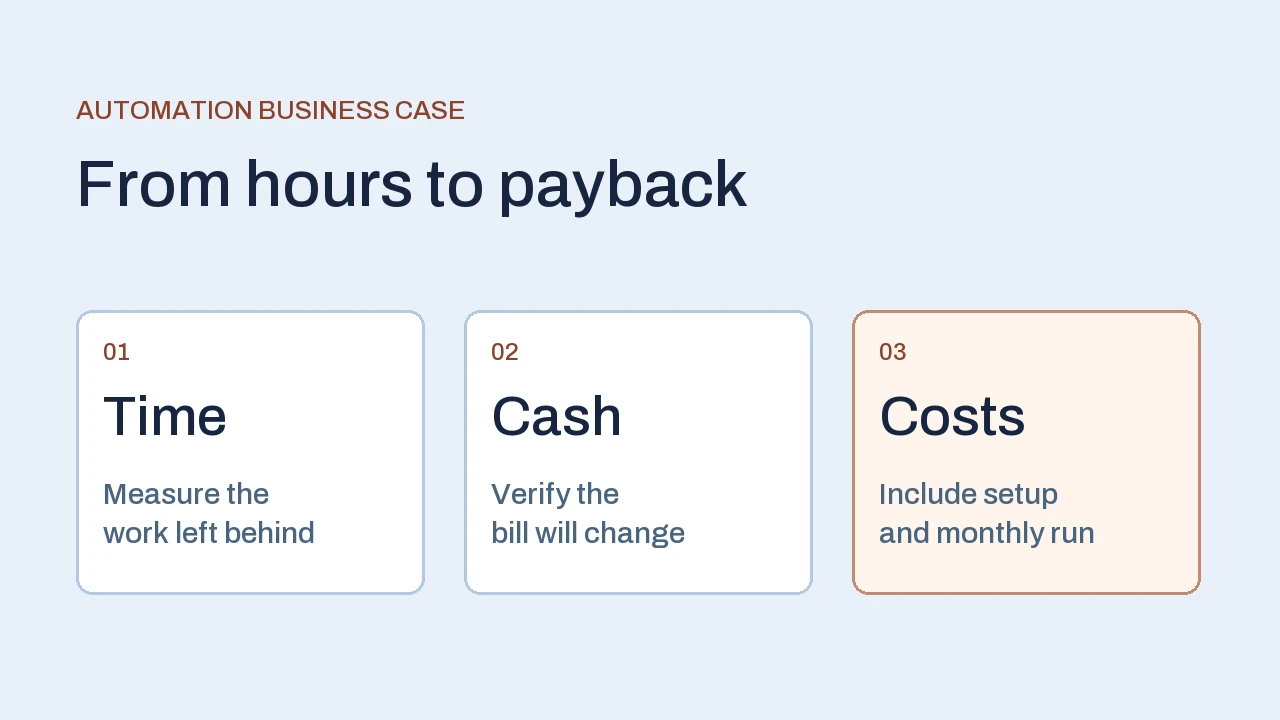
Business process automation ROI compares the benefit of a workflow change with what it costs to build and run. Start with the work your team does today, keep exception handling in the estimate, and put a dollar benefit in the cash model when a bill or expense will change. Payback uses the timing of those cash changes.
Work through one month of order intake
Illustrative example. A distributor receives 900 customer purchase orders each month. A clerk reads the order, checks the customer and item codes, and enters a draft in the ERP. The existing process takes eight minutes of active work per order on average. That is 120 hours a month.
The proposed pilot handles orders from known customers with supported document formats. It prepares a draft and keeps a review step for quantities, units and item matches. Orders outside that scope stay in the manual queue. For the underlying controls, see our walkthrough of order entry automation.
- Routine review
630 orders
Three minutes each to check and confirm the proposed draft. 31.5 hours.
- Exception review
90 orders
Twelve minutes each to investigate, correct and confirm a draft. 18 hours.
- Manual lane
180 orders
Eight minutes each for unsupported formats or customers. 24 hours.
Total after the change: 73.5 hours. Compared with 120 hours before, that releases 46.5 hours in the sample month.
The exception lane can take longer than the original entry step. A person may need to compare the document with the item master, correct a pack size or clarify a duplicate. Time that moves into a different queue still belongs in the estimate. Elapsed waiting time can improve separately and should have its own measure.
Separate time released from cash saved
Suppose the distributor pays for external order-entry support at $45 an hour. The vendor can reduce its billed hours by 20 per month once the pilot is stable. If the next invoice reflects that reduction, the business saves $900 per month. The remaining 26.5 hours are capacity for work such as resolving backorders or confirming delivery dates.
Write down what needs to happen for the cash benefit to materialize. Check the vendor’s minimum commitment, the billing increment and the notice period. If the bill stays flat until renewal, put the first saving in the month the contract actually changes. Where the benefit is staff capacity, name the team that will use it and the backlog or service measure it should improve.
Keep each benefit attached to one event. If the time spent correcting bad orders already sits in the baseline, counting those same hours again as avoided rework inflates the case. A separate refund or shipment charge can belong in the cash model if there is evidence that the workflow will prevent it.
Calculate first-year ROI and payback
Use the same period for benefits and costs. In this sample, setup costs $5,400 and includes mapping fields, connecting a draft handoff, testing exceptions and training users. Running costs are $300 per month for platform usage and support. Treat these amounts as assumptions for the example. Use your scoped estimate and actual licensing terms for a project. Our guide to software development cost explains which delivery choices change the budget.
If the $900 invoice reduction starts immediately, the annual saving is $10,800. Subtract $9,000 and divide by $9,000 for 20% first-year cash ROI. The monthly net saving is $600, so the $5,400 setup cost is recovered in nine months at that steady pace.
Now allow a month for training and a month of partial use. The running costs start in month one. The invoice reduction starts at $0, reaches $450 in month two, then reaches $900 from month three.
| Period | Net change | Cumulative cash |
|---|---|---|
| Setup | −$5,400 | −$5,400 |
| Month 1 | −$300 | −$5,700 |
| Month 2 | +$150 | −$5,550 |
| Months 3–11 | +$600 each month | −$150 by month 11 |
| Month 12 | +$600 | +$450 |
First-year savings fall to $9,450, yielding 5% first-year cash ROI. Payback is reached in month 12 on the monthly ledger. For uneven benefits or costs, use the first month when cumulative cash reaches zero or rises above it. The simple division assumes a stable positive monthly net benefit.
Find the number that changes the decision
For twelve months of steady use, this workflow needs $750 in monthly cash savings to break even in year one. That covers the $300 running cost plus one twelfth of setup. At $45 per billed hour, the team needs to remove about 16.7 billed hours each month. The ramp scenario requires a larger steady saving to meet the same deadline.
Change one input at a time. If only 12 billed hours can be removed, monthly savings drop to $540. After $300 in running costs, $240 remains. At that steady pace, recovering setup takes 22.5 months. If exceptions increase from 90 to 180 and the other assumptions hold, the time released falls from 46.5 to 33 hours. Verify how much of that change affects the external invoice before adjusting cash savings.
Use this threshold to compare options. If the expected savings are marginal, test a narrower route, such as preparing drafts for one predictable customer group. If the team mainly needs faster customer confirmations, compare throughput and queue age alongside the cash model. Put the operating target and the cash target in separate rows so reviewers can see which decision each one supports.
Measure the pilot before expanding
Agree on a representative sample before starting. Include ordinary orders, ambiguous item matches, changes and rush requests. Record order count, handling time, review time and rework in the baseline. After rollout, capture the same measures across the same scope. A quiet week with easy orders can make a pilot look better than the workflow will perform during a busy month.
- Operations checks the queues. Reconcile the number of orders received with the number completed, held or handled manually. Track what takes staff time in each lane.
- The process owner checks quality. Inspect a sample of drafts against the original order. Check item, unit and quantity before treating faster handling as a gain.
- Finance checks the bill. Compare invoices and platform usage with the estimate. Record when a saving begins and why it differs from the forecast.
Update the forecast using the measured exception rate and actual running costs. The GAO cost estimating guide describes the general practice of documenting assumptions, testing sensitivity and updating estimates with actual costs. For a first automation project, a short shared worksheet can capture those same decisions.
If your pilot relies on ERP drafts, include a recovery check before expanding. An ambiguous write or a repeated customer order can create work downstream even when entry looks faster. See the ERP integration guide for the handoff and retry decisions. We apply that scope and review logic in business process automation projects.
Frequently asked questions
What if automation saves time without reducing expenses?
Track released capacity in hours and say what the team will do with it. Use the change in an actual bill, budget or other evidenced cash expense for cash ROI. Both measures can inform the decision.
Should implementation and subscription costs both count?
Yes. Include setup and the costs of running the workflow during the same period used to count benefits. Identify licensing, support and exception handling separately so the team can check each assumption.
Can we calculate payback before the first pilot?
Estimate it from documented volumes and costs, then use the pilot to verify review effort and the date when spending can change. Where cash benefits fluctuate, check the cumulative cash ledger month by month.
How can we compare two automation candidates?
Use a consistent period and include each workflow’s remaining manual effort and dependencies. Compare cash ROI and payback separately from improvements in lead time, capacity or service quality.
Apply this to your workflow
What would change in your first automation pilot?
Tell us which workflow you want to improve, how often it runs and one exception your team handles. A redacted sample can help us define what to measure and what the workflow should deliver.
Discuss your automation pilot Explore business process automation services