
Insights · Order intake and automation
Order entry automation: from email to ERP draft.
Turn incoming customer orders into traceable ERP drafts, with clear checks for missing details, amendments and failed handoffs.
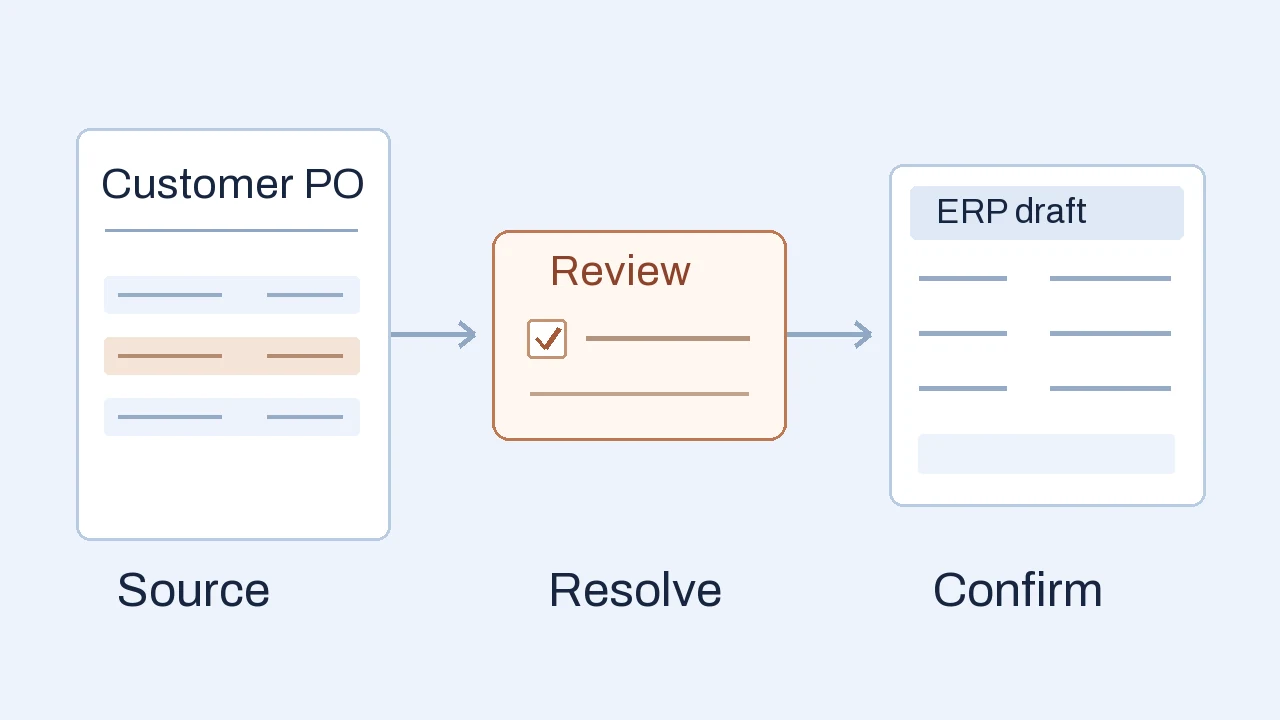
Order entry automation captures incoming customer orders, matches them to trusted business records and moves reviewed data into an ERP or order management system. For emailed purchase orders, a useful starting scope is a checked sales-order draft: automate extraction and routine checks, while giving people the evidence to resolve uncertain details before the write.
A readable order can still need a decision
A distributor receives a customer purchase order by email. The item code is readable and the quantity is clear, but the unit is missing. Does “12” mean twelve individual seals or twelve boxes? Extracting the number correctly has not answered that question.
In this illustrative example, the customer’s code maps to an ERP item sold in boxes of ten. That reference helps the reviewer investigate; it does not authorize guessing what the customer meant.
Customer PO 1048
Sample customer · requested items
- SK-40 · Seal
- Quantity 12Unit missing
- GL-08 · Gloves
- Quantity 4Unit pairs
Keep the attachment and the source line with the extracted fields.
Resolve the flagged line
- Trusted item mapping
- SK-40 → ERP item SEAL-40
- Catalog selling unit
- BOX · 10 seals per box
- Still unknown
- Did the customer request units or boxes? Hold the order and ask.
Customer confirms 12 boxes. Record the clarification, rerun the checks and approve a draft with 12 BOX. Retain the ERP draft reference after a confirmed write.
The useful output: a traceable, reviewed draft. Creating it does not by itself approve pricing, promise delivery or release the order for fulfillment.
The practical benefit is less retyping and less searching for context. A reviewer sees the source, proposed item mapping and unresolved question together. The system carries the confirmed decision forward instead of making someone rebuild the order in another screen.
How order entry automation fits the workflow
Start by defining the boundary. Here, your company is the seller: it receives a customer’s purchase order and prepares a sales order in its ERP. Issuing your own purchase orders to suppliers is a different procurement workflow. Picking, invoicing and shipping also need their own rules beyond this intake step.
Capture the right request
A shared inbox can contain new orders, amended attachments, status questions and cancellations in the same thread. Classify the message before creating a record. Preserve its attachment and arrival reference so a person can see exactly what initiated the work.
Read an existing structured order file directly where possible. Use document extraction for PDFs and scans, then organize the customer reference, ship-to address, requested date and line items into a consistent record. A follow-up asking “where is my order?” should not become another order.
Match against trusted records
Match the customer and delivery site to approved records. Map customer item codes to your catalog, including variants and units of measure. Compare quantities, prices and terms against the business rules your team actually uses. An old order can suggest a candidate; it should not silently authorize a substitution or a new address.
Keep extracted values separate from confirmed values. In the example, “12” comes from the PO, BOX comes from the catalog, and the customer’s clarification establishes which unit was intended. That distinction makes a correction understandable later.
Give reviewers evidence
A useful review queue explains what failed, shows the relevant source line and identifies who can resolve it. Corrections should trigger the affected checks again. Pricing overrides, credit holds, unavailable products and requested dates need explicit handling rather than an AI-generated promise to the customer.
Extraction confidence can help prioritize review, but choose thresholds using representative, checked documents. Microsoft’s Document Intelligence guidance recommends evaluating the service on your own use case before deciding what to process automatically or send to a person. A high extraction score still does not establish that a unit, price or customer instruction is commercially correct.
Keep resends, revisions and retries separate
Several events can look like “the same order came in again.” They need different decisions. Agree the order identity with the business, typically including customer, company and PO reference, then retain document versions and processing history.
- 01 · Resent attachment
Content is unchanged
Same customer, PO and document version.
- 02 · Revised PO
Quantity or terms changed
Same reference, different content.
- 03 · ERP response missing
Write outcome is unknown
The request timed out after submission.
Make uncertainty visible. “Awaiting ERP confirmation” belongs in the queue with an owner. It must not be shown as a completed order.
A timeout does not tell you whether the ERP accepted the request. AWS’s explanation of safe retries shows why an operation needs an explicit contract that prevents repeated effects. Ask how the particular ERP interface identifies a repeated request, handles changed content and confirms the resulting record. Keeping a local ID alone does not guarantee a safe retry at the destination.
For connected scope, our ERP integration service covers the system handoff and responsibilities. Access, supported interfaces and failure behavior need to be checked for your ERP version and setup.
Choose the simplest workable route
If customers already submit structured orders through a portal or an agreed electronic format, investigate direct mapping and validation first. Recreating those records as PDFs and reading them with OCR adds work. If a manageable order volume is handled reliably, a clearer intake form or a standard import may be enough.
Check your existing ERP’s supported import, review and extension capabilities, then test suitable products with your own documents and exceptions. Compare a product and a focused custom component on the same task. Our custom software vs off-the-shelf guide explains that fit test.
A custom review workspace may be worth exploring when document variation, catalog mapping or approvals leave an important gap. Its scope could combine extraction, a review queue and a checked ERP draft. Our business process automation service explains how we scope that work around inputs, decisions and a useful output.
Prove the pilot before expanding
Start with one order type and a defined group of customers. Include normal orders and the awkward cases your team encounters: scans, missing units, unknown items, amendments, resends and interrupted writes. Keep a separate set of checked orders for evaluation rather than judging only the documents used to configure the system.
Agree acceptance with the order desk and ERP owner before testing:
- Correct records: check customer, site, item, unit, quantity and commercial terms against the reviewed answer. Report errors by field and order, including incorrect records that escaped the review rules.
- Useful exceptions: confirm that held orders show a reason, evidence and a person responsible. Measure time spent finding answers as well as correcting fields.
- Confirmed handoff: reconcile approved intakes with actual ERP draft references. Exercise resends, amendments and interrupted requests without relying on a successful demo alone.
- Operating effort: compare total handling time, waiting, corrections and recovery with the current process. Assign responsibility for mappings, access, monitoring and future changes.
Agree who can view source documents, how long they are retained and which extraction services receive them. Give the integration only the actions it needs. Begin with human approval and expand automatic handling only where measured results and business policy justify it.
The business case depends on recurring effort removed and the cost of running the result. Released staff capacity becomes cash savings only if spending actually changes. For the scope and cost implications of a review-only workflow versus a connected ERP draft, see our custom software development cost guide.
Frequently asked questions
Can AI do order entry?
AI can help classify requests, extract order fields and suggest item matches. Business rules and human review still need to resolve uncertain details and control what reaches the ERP. The amount handled automatically should follow evaluation on representative orders, including exceptions.
Is purchase order OCR enough to automate sales order entry?
OCR reads text from documents. A complete intake workflow also needs customer and item matching, units, commercial checks, duplicate and amendment handling, review and a confirmed system handoff. An accurate transcription can still describe an order that needs clarification.
Do customers have to use a new ordering portal?
Not necessarily. Email and document intake can work within an agreed scope. A structured portal or electronic order format may reduce ambiguity where customers can adopt it. Compare that change with the effort of processing the channels they already use.
Can order entry automation work with our existing ERP?
Potentially, through a supported API, connector or import process. Check your exact version, access, licensing, draft and update behavior, and recovery options. If an interface cannot safely support the required write, a reviewed export with a controlled manual import may be a better first boundary.
Apply this to your workflow
Where does order entry slow your team down?
Tell us how orders arrive, which ERP you use and one exception that takes time to resolve. A redacted sample helps define a useful first workflow.
Discuss your order-entry workflow How we deliver business process automation